# Let your coding agent start its own computer

> With the shedix skill, Claude Code, Codex or Cursor starts, drives, copies and sleeps its own cloud machines, and moves the conversation it's in onto one.

*2026-11-10 · agents, claude-code, codex, workflows*

Your coding agent can start its own computer: with the shedix skill installed, Claude Code, Codex or Cursor starts a
cloud Linux machine, works on it, copies it and puts it to sleep, without you clicking through a dashboard. It can also move the
conversation it's in onto that machine, so you close the laptop and the work carries on.

Most cloud machines and sandboxes are started by a person in a dashboard or by code someone writes against an SDK.
This page is about the other way round: the agent is the one asking for the machine.

We make shedix. What we say about other products comes from their own pages and docs.

## What does it mean for an agent to start its own computer?

You tell the agent what you want in plain words, and it handles the machine. With the skill, an agent can:

- **Start a machine** for the project it's working on, or find the one it started last time, with your repository and
  installed dependencies still there.
- **Drive it** over SSH: copy the project, install packages, run the dev server, the tests or Docker.
- **Copy a machine** so several tasks run side by side, each on a machine of its own, starting with the same files and
  sign-ins.
- **Sleep, start or delete** machines when you ask.
- **Move or fork the conversation it's in.** A Claude Code or Codex session moves to the machine with its history, and
  carries on there; or a branch of it runs on the machine while you keep working here.

Some lines from the [skill page](/skills) that work as written: "move this session to shedix so I can close my
laptop", "run these three tasks on separate machines" and "test this on a fresh Ubuntu box". Our post on
[moving a Claude Code conversation to another machine](/blog/move-claude-code-conversation-to-another-machine)
explains what travels with a session and what doesn't.

## How do you set it up in Claude Code, Codex or Cursor?

One command installs the skill for the agents on your computer:

```bash
npx skills add shedix-dev/skills
```

Claude Code, Codex, Cursor, GitHub Copilot, Gemini CLI, OpenCode and others read the same skill format, and the
[skills](https://github.com/vercel-labs/skills) installer puts it where each one looks. Add `-g` to install it for every
project, or `-a claude-code`, `-a codex` or `-a cursor` to pick the agent. It needs Node.js 22.

In Claude Code you can also install it as a plugin, from the shedix marketplace. And any agent that runs shell commands
can skip the install and read the skill straight from the site, with one line in the chat:

```
Use shedix for this: https://shedix.dev/SKILL.md
```

The agent drives machines with `curl` and `ssh`, so there's nothing else to install. The skill knows the quirks of each
agent: Claude Code's two-minute limit on a command, Codex's network permission, which it asks for once at the start,
and long jobs run in tmux on the machine for agents whose commands time out. The whole guide is public, at
[the guide for agents](/docs/agents) and on [GitHub](https://github.com/shedix-dev/skills).

## What tools does the agent get on the machine?

The machine is a real computer, so the agent gets what a person would: Ubuntu with root through sudo, Docker, git and
gh, and Claude Code and Codex ready to run. Two tools are there for the agent and you to use together:

- **A browser it shares with you.** Every machine on the Web, Python or Go & Rust stack has a real
  Chromium that agents drive over the Chrome DevTools Protocol, with Playwright or a DevTools MCP server. You watch the same browser on the machine's page, and take over
  where a person must, such as a login, then hand it back. Logins stay on the machine's disk.
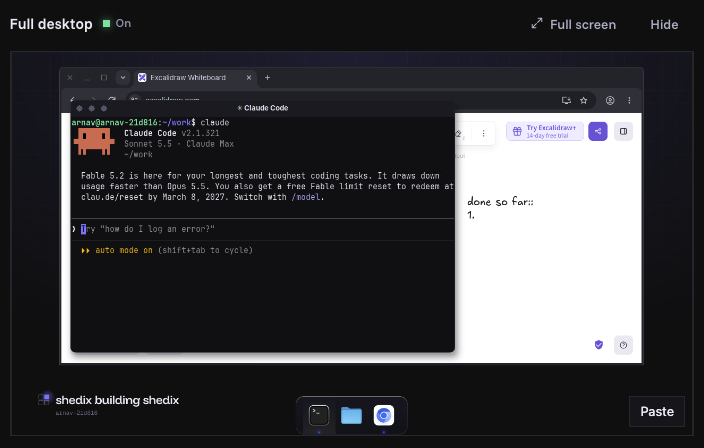
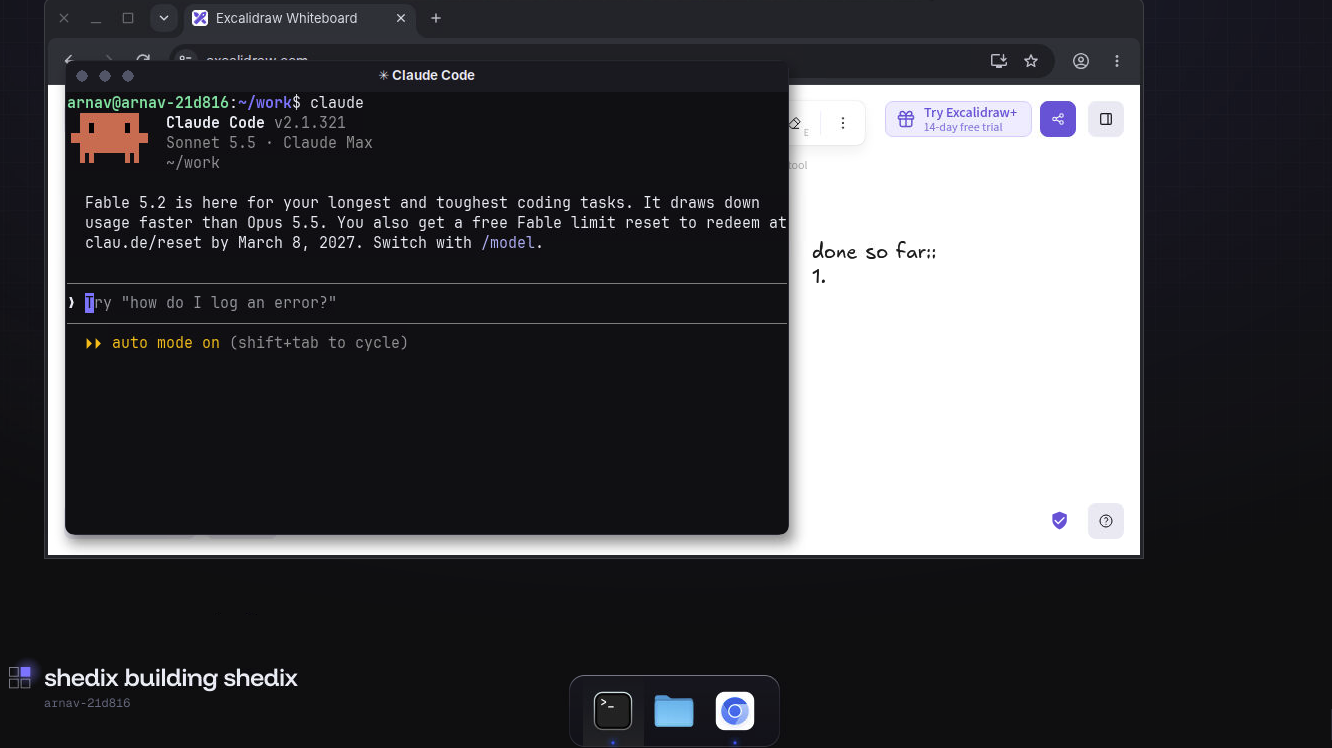
- **A full desktop.** A desktop around that same browser, with Terminal and Files, that you can open from the
  machine's page, on a computer or a phone.

<img src="/blog/img/full-desktop-claude-code.png" alt="Claude Code running in a terminal on a shedix machine's full desktop, with the shared browser behind it" width="1332" height="748" loading="lazy">

<p class="shot-caption">Claude Code on a shedix machine's full desktop, opened full screen, next to the browser it shares with you.</p>

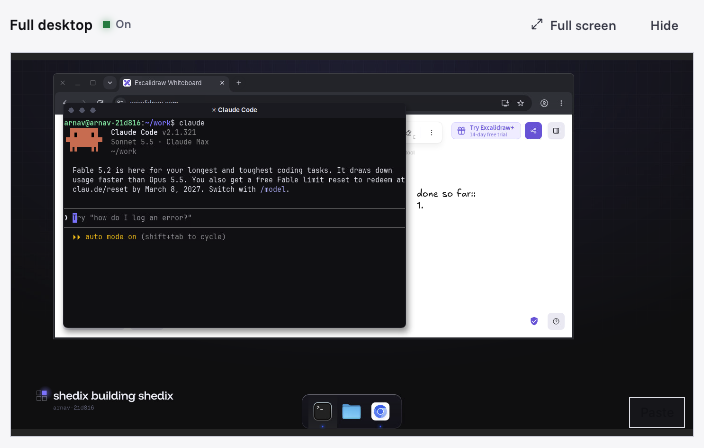
<img class="only-dark" src="/blog/img/machine-page-desktop-dark.png" alt="The Full desktop panel on a shedix machine's page, with Claude Code open in a terminal" width="704" height="448" loading="lazy">
<img class="only-light" src="/blog/img/machine-page-desktop-light.png" alt="The Full desktop panel on a shedix machine's page, with Claude Code open in a terminal" width="704" height="448" loading="lazy">

<p class="shot-caption">The same desktop inside the machine's page in your browser: open it there, in a new tab, or full screen.</p>

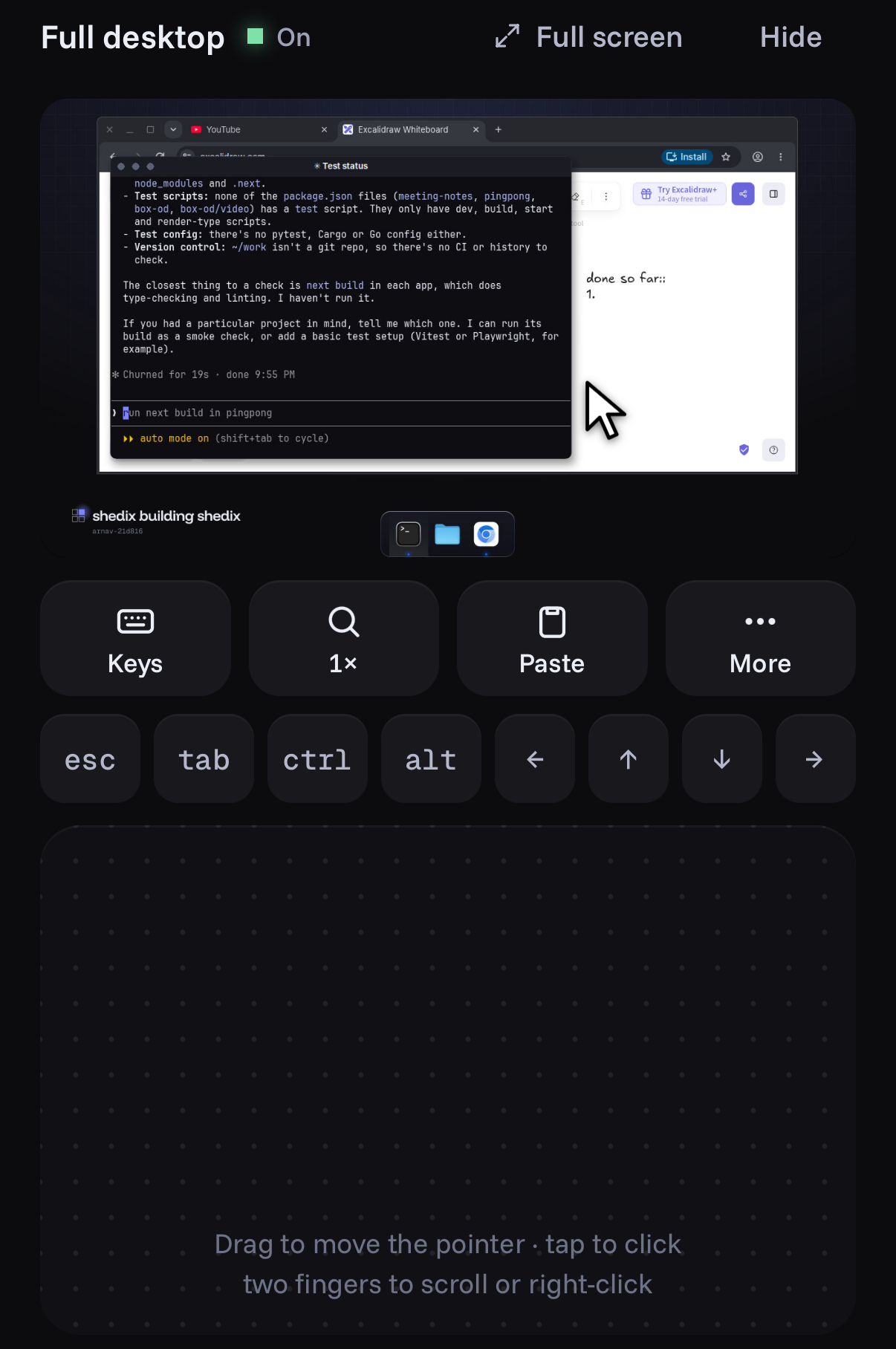
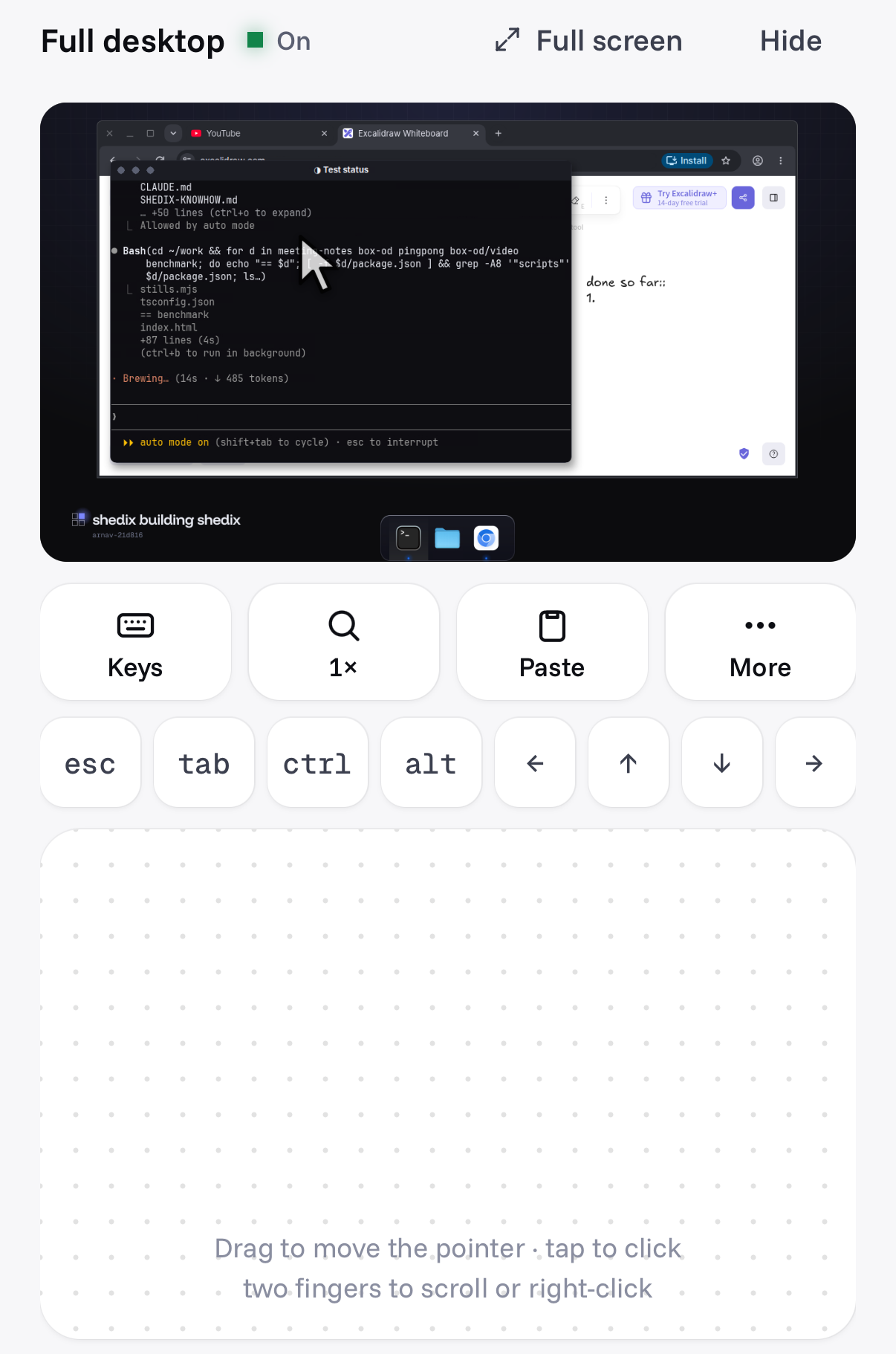
<img class="shot-phone only-dark" src="/blog/img/phone-desktop-controls-dark.png" alt="Phone view: a shedix machine's full desktop on a phone, with keys and a trackpad below it" width="1206" height="1816" loading="lazy">
<img class="shot-phone only-light" src="/blog/img/phone-desktop-controls-light.png" alt="Phone view: a shedix machine's full desktop on a phone, with keys and a trackpad below it" width="1206" height="1822" loading="lazy">
<p class="shot-caption"><strong>Phone view.</strong> The same desktop on a phone: tap the screen, type with the keys, steer with the trackpad.</p>

Both turn off by themselves when nobody uses them, so they don't hold memory the agent needs for a build.

## What do you still decide?

The skill is written so the agent asks before anything that's yours to decide:

- **Private files:** before copying a project, the agent lists the files that don't travel with git, such as `.env`
  files and keys, without opening them, and asks which may go. Nothing private is copied without a yes.
- **Public links:** it asks before sharing a link to your app.
- **Your machines:** it never sleeps, stops or deletes a machine you're using unless you ask.
- **The key:** the agent's access is a key of its own, which you can revoke on your account page at any time.

How machines are kept apart from each other is on our [security page](/security).

## How does this compare with services you start from a dashboard or SDK?

Each of these is built for its own job, and each can be started by software. The difference is who writes that
software. Facts as of 2026-11-10:

| Service | How a machine starts | Built for | What's inside |
|---|---|---|---|
| [E2B](https://docs.e2b.dev/) | `Sandbox.create()` from its Python or JavaScript SDK, with an API key | Apps that run model-written code in fresh sandboxes | A template you define |
| [Daytona](https://www.daytona.io/docs/en/sandboxes/) | Its dashboard, SDKs, `daytona create` or its API; it also offers an MCP server | Long-lived sandboxes created from code | A snapshot or image you choose |
| [Modal](https://modal.com/docs/guide/sandboxes) | `modal.Sandbox.create()` from its Python SDK | Python and GPU workloads at scale, with sandboxes beside them | An image defined in code |
| [Codespaces](https://docs.github.com/en/codespaces/developing-in-a-codespace/creating-a-codespace-for-a-repository) | The repository's Code button, VS Code or `gh codespace create` | A person at an editor | A dev container from the repository |
| [Fly.io Sprites](https://docs.fly.io/sprites) | Fly.io's CLI | Bursty work that mostly waits | A persistent Linux environment with its own URL |
| shedix | One line to your agent, or one click | Your coding agents and you, on one machine | Ubuntu with root, Docker, Claude Code, Codex, a desktop, and a shared browser on the Web, Python and Go & Rust stacks |

With an SDK or a CLI, an agent can start a sandbox too, once someone has given it the key, the template and the steps.
The shedix skill is those steps, written for the agent: which machine to reuse, how to wait for it, how to copy a
project without private files, how to hand over a session.

## What is each one built for?

- **E2B** is built for an app that runs its model's code in a fresh sandbox from an SDK, often many times a day.
- **Daytona** is built for sandboxes that last, created from code or a dashboard, with a shell your team can open.
- **Modal** is built for Python and GPU work at scale, with sandboxes started from the same SDK.
- **Codespaces** is built for a developer in an editor, with a machine made from the repository's dev container.
- **Sprites** are built for bursty, mostly idle work, billed on what's used, from Fly.io's CLI.
- **shedix** is built as a real computer for your coding agents: desktop, root, Docker, its own address, every way in.
  Your agent can start it and use a browser it shares with you; Claude Code and Codex come ready; you pay by the second while it runs, and a fraction of a cent an hour while it sleeps.

## How is it billed while the agent isn't using it?

By the second while it runs, from $0.09/hr for 2 vCPU, 4 GB RAM, 30 GB disk. A machine that nobody uses goes to sleep by itself and
keeps its files and running programs, for under a cent an hour: $0.006/hr for that machine. Claude Code or Codex working on
it counts as use, so it stays awake while the agent works. A sleeping machine wakes in under a minute. Machines run in
the United States. If you want to work with an agent's machine yourself, the
[close the laptop](/use-cases/close-the-laptop) page shows the handoff from the person's side, and
[give your coding agent its own machine](/blog/give-your-coding-agent-its-own-machine) covers why it helps.

## Which should you pick?

If your product runs model-written code for its users, E2B, Daytona and Modal are built for that. If you want a
machine made from a repository for yourself in an editor, Codespaces fits. If the machine is for your own coding agent,
to start when it needs one and keep for days, a machine the agent starts itself saves the glue. Prices and features
change, so check each provider's own pricing and docs before you choose.

## What to do next

Read [who makes shedix](/about), then install the [shedix skill](/skills) and ask your agent to start a machine, or
[start one yourself](/). Your first 12 hours of compute are on us.