Full Ubuntu with root and Docker for coding agents
Yes. shedix gives a coding agent a whole virtual machine running Ubuntu, with passwordless sudo, Docker and Compose ready, and Claude Code and Codex installed. The agent can install anything, run the project's own docker compose up, and leave services running, on a machine that keeps its files and sleeps when nobody uses it.
Sandbox services can run Docker too, once you build the right image or pick the right runtime, but they're built for a different job: short, disposable runs started from code.
We make shedix. Every other figure comes from each provider's own pages, linked, as of 2026-11-10.
Why do coding agents need root and Docker?
Because real projects assume a real machine. Ask an agent to get a repo's tests passing and, within a few minutes, it will usually want to:
- install system packages with
apt: a database client,libpq-dev, the libraries a headless browser needs; - start Postgres, Redis or a whole stack with
docker compose up; - build a Docker image, because that's how the project ships;
- leave a dev server or a worker running, and come back to it later.
Without root, the agent stops and asks you, or works around it badly. Without Docker, it can't run the project's own docker-compose.yml, so it mocks the database or skips the tests, and you get a green run that proves little.
Inside an ordinary container, Docker means Docker-in-Docker, which usually needs --privileged. Our post on containers, microVMs and full VMs for coding agents explains why that weakens the container. A VM with its own kernel runs Docker the way any server does, with nothing to work around.
What does a shedix machine give an agent?
- A virtual machine of its own, with its own disk and kernel, not a container sharing a node with other people's work.
- Real Ubuntu, a long-term-support release, with a user named after you and passwordless sudo.
sudo apt installworks the way it does on your own server. - Docker and Docker Compose, with the user in the
dockergroup.docker run --rm hello-worldworks with no--privilegedflag and no socket borrowed from a host, anddocker compose up -dbrings up a project's database and cache next to the code. - Tools already installed: Claude Code, Codex, VS Code in the browser, a web terminal that works on phones, git, gh, tmux and ripgrep. Pick a stack and it comes ready too: Web (Node, pnpm, Yarn, Bun, TypeScript, Playwright with Chromium), Python (uv, JupyterLab, Ruff) or Go and Rust. A Plain machine is the bare OS, for people who want to set up everything themselves.
- A disk that stays until you delete the machine. It sleeps when nobody uses it and keeps its memory while asleep, so the Postgres container and the dev server the agent started are still running after Start.
- Copies. Once a machine is set up and signed in, copy it, and the new machine starts with the same files, tools and sign-ins. That's how to give each agent its own.
- Many ways in: a browser, a phone, SSH, or an agent driving it over the API.
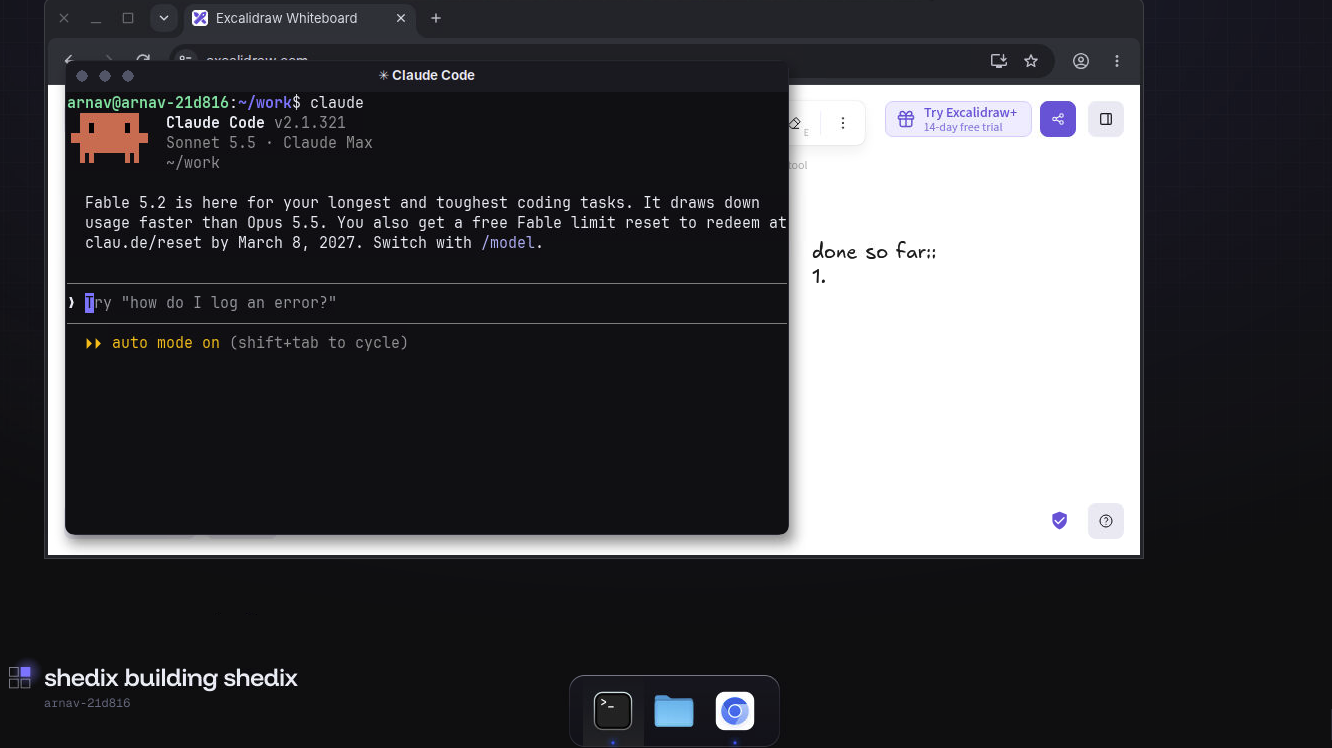
Claude Code on a shedix machine's full desktop, opened full screen, next to the browser it shares with you.
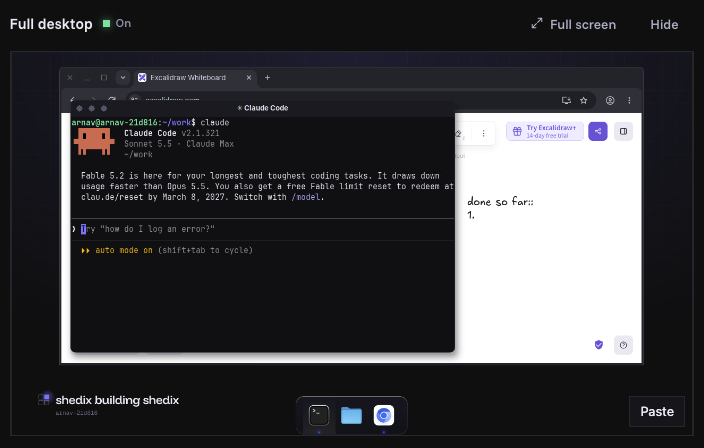
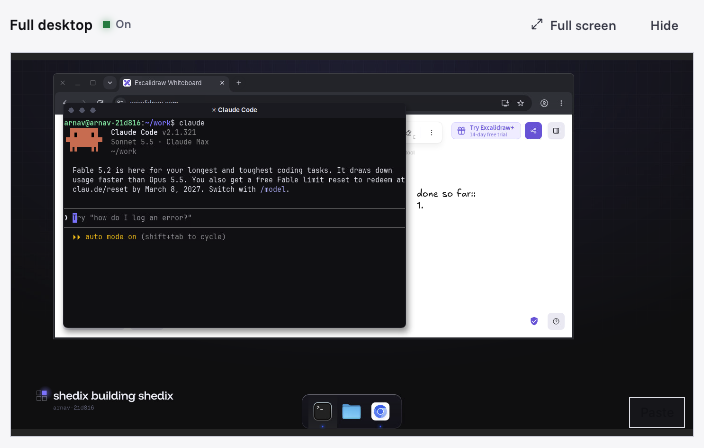
The same desktop inside the machine's page in your browser: open it there, in a new tab, or full screen.
Root on that machine doesn't mean reach beyond it. Machines sit on a network where they can't reach each other in either direction, only SSH comes in, with keys rather than passwords, and there are no cloud credentials on the machine. The agent has full control of its own machine and nothing else. The security page lists exactly what's kept apart.
One click starts a machine, or one line to your agent, and one click wakes, copies or deletes it; a sleeping machine wakes in under a minute. Machines run in the United States, from 2 vCPU, 4 GB RAM, 30 GB disk at $0.09/hr to 16 vCPU, 32 GB RAM, 75 GB disk at $0.84/hr: $0.0450 per vCPU-hour at 2 vCPU and $0.0525 from 4 vCPU, by the second with no plan. That one price covers the disk, everything above, preview links and SSH (pricing page).
Which other services give root and Docker?
As of 2026-11-10, from each service's own docs:
| Service | Built for | Whole machine or sandbox | Root | Docker | How long it lives |
|---|---|---|---|---|---|
| Beam VMs | Persistent VMs driven from a CLI or SDK | Whole VM | Examples work in /root; sudo not documented |
Preinstalled with Compose and Buildx when created with --docker-enabled |
Until removed; an idle TTL you set, which stops it by default |
| Sprites (Fly.io) | Bursty work in a microVM | microVM, your code in a container inside it | "You get root" | Not documented | Until deleted; pauses about 30 s after activity stops |
| E2B | Short runs of code from an SDK | microVM sandbox | Default user user; sudo in examples |
Install it in a custom template | Up to 1 h on Hobby, 24 h on Pro at a stretch |
| Daytona | Sandboxes started from an SDK | Container by default; VM class too | Not stated in its docs | Docker-in-Docker from a dind snapshot |
Stops after 15 min idle by default |
| Modal | Sandboxed code inside Modal apps | gVisor container by default; VM runtime optional | Not stated | Only on runtime="vm", starting dockerd yourself |
5 min by default, 24 h at most |
| GitHub Codespaces | A dev environment tied to a repo | Container on a VM | Runs as codespace |
Docker-in-Docker in the default image | Stops after 30 min idle and 12 h in any case; deleted after 30 days stopped |
| shedix | A home an agent lives in for days | Whole VM per machine | Passwordless sudo | Installed with Compose on the Web, Python and Go & Rust stacks | Until you delete it; sleeps when unused and keeps running programs |
Notes on the rows:
- Beam is built around persistent Ubuntu VMs with Docker ready and a browser desktop. Its default idle action stops the VM unless you choose
pause, and its lifecycle docs say a command running inside doesn't count as activity on its own. - Sprites give root in a VM, but Fly.io's docs don't say whether a Docker daemon runs inside, and Fly's design write-up says user code runs in a container inside the VM. Check with
docker infobefore you rely on it. - E2B and Daytona both run Docker once you build for it, and both recommend at least 2 CPUs and a few GB of memory for it. Daytona's snapshot docs note that dind images start with an empty image cache.
- Modal points you to its VM runtime for Docker, because its default gVisor runtime isn't a full Linux kernel.
- Codespaces runs Docker inside the codespace's container, and its lifecycle limits mean a long-running agent has to be restarted.
- shedix gives each agent a real computer: a whole VM with a full desktop, root, Docker, its own public address and every way in. Your agent can start and drive it, shares a browser with you on it, and finds Claude Code and Codex ready; it sleeps by itself and you pay only while it works.
What does a machine with root and Docker cost?
Beam, Sprites, E2B, Daytona and Modal publish rates per vCPU and per GB of memory; Codespaces prices whole machines. shedix sells whole machines with the disk included, so here everyone is multiplied out to the same box. Sprites bill CPU and memory actually used (Sprites pricing), so their row is the price at full use.
| The same box, running for one hour | 2 vCPU, 4 GB | 4 vCPU, 8 GB | 8 vCPU, 16 GB | 16 vCPU, 32 GB | Included in the price |
|---|---|---|---|---|---|
| shedix | $0.09/hr (30 GB) | $0.21/hr (45 GB) | $0.42/hr (60 GB) | $0.84/hr (75 GB) | Disk, Docker, Claude Code, Codex, VS Code and SSH |
| Beam | $0.14 | $0.28 | $0.56 | $1.12 | Compute; storage not billed yet |
| Sprites, at full use | $0.16 | $0.33 | $0.66 | Size not published | Compute used; storage extra |
| E2B | $0.17 | $0.33 | $0.66 | $1.32 | Compute and disk |
| Daytona, same disk sizes | $0.17 | $0.34 | $0.67 | $1.33 | Compute and disk |
| GitHub Codespaces, twice the memory | $0.18 (2-core, 8 GB) | $0.36 | $0.72 | $1.44 | Compute; storage extra |
| Modal sandboxes | $0.24 | $0.48 | $0.95 | $1.90 | Compute; storage extra |
Rows are ordered by the 2 vCPU price. Running, shedix comes out 25–50% below Beam, Sprites at full use, E2B, Daytona and Codespaces, and 56–63% below Modal, with its disk included.
Idle, for the 4 vCPU, 8 GB box with a 45 GB disk:
| Idle for one hour | What you pay | What's kept |
|---|---|---|
| E2B, paused | $0: compute stops, no storage charge listed (billing docs) | Files and memory |
| Beam, stopped | $0 while storage isn't billed; $0.0045 at its planned rate | Disk |
| Modal | $0 compute: the sandbox ends at its timeout | What you saved to a volume or snapshot |
| Sprites, cold | $0.0012 at most, on storage used | Files |
| Codespaces (4-core), stopped | $0.0031 for its 32 GB disk | Saved files |
| Daytona, stopped | $0.0043, disk above 5 GiB (billing docs) | Files (container sandboxes) |
| shedix, asleep | $0.009/hr | Memory, running programs, Docker containers, disk |
Asleep, shedix keeps the agent's memory and Docker containers running; storage-only services cost less while idle and, by default, most keep files only. Our post on sleeping when idle compares the idle rules in full.
When does a sandbox fit better?
When you're building a product that runs code for other people. If you need hundreds of fresh boxes an hour, each living minutes and started from an SDK, E2B, Daytona and Modal are built for exactly that. It's a different job from giving one agent a home. And if you only need Claude Code with none of your own tools, our post on Claude Code's cloud sessions or your own machine covers when Anthropic's hosted sessions are all you need.
A whole machine suits the case most coding agents are in: an agent that lives somewhere for days, installs what it needs, keeps Postgres running in Docker, and finds its files where it left them. The same reasoning is behind Real Ubuntu, safe from your laptop.
How do I give my agent one?
Prices and limits change, so check each provider's own pricing before you choose. On shedix, start a machine and pick a stack; your first 12 hours of compute are on us. Or let your agent start one itself: npx skills add shedix-dev/skills installs the shedix skill, as the skills page explains. Who makes shedix is on its own page.