Daytona alternatives for coding agents
The Daytona alternative that fits depends on what you want instead. Pick E2B for open-source sandboxes you can host yourself, Modal or Vercel Sandbox for sandboxes beside other work you already run there, Sprites for a box that sleeps the moment it goes quiet, and shedix for a whole computer your coding agent lives on, with a full desktop and sizes past Daytona's default limit.
We make shedix. Every other figure comes from each provider's own pages, linked, as of 2026-11-11.
Why do people look for a Daytona alternative?
- Development moved to a private codebase. Daytona's public repository says that as of June 2026 "core development has moved to a private codebase" and that it "will receive no further updates, fixes, or releases"; it was archived on 3 October 2026 (daytonaio/daytona). The last release stays free to use and fork, but teams that hosted Daytona themselves, or chose it because they could, want something they can keep running.
- Small sandboxes by default. A sandbox starts at 1 vCPU, 1 GB of memory and 3 GiB of disk, and an organization's per-sandbox maximum is 4 vCPU, 8 GB and 10 GB of disk (sandboxes). A new account's whole pool is 10 vCPU until you link a card and top up $25 (limits).
- Auto-stop in the middle of a task. By default a sandbox stops after 15 minutes of inactivity, and the stop "triggers even if there are internal processes running" (sandboxes). An agent waiting on a long build loses its sandbox unless you set the interval to 0.
- What a stop keeps. For container sandboxes, the default, "the filesystem is preserved, but memory state is not", so running programs end. SSH tokens expire after 60 minutes (SSH access).
What is Daytona still great for?
Daytona is built for long-lived sandboxes with a shell, created from an SDK, and it does that well: a web terminal, SSH, VNC, previews, Git and language-server tools, and VM sandboxes that pause with their memory alongside the default containers. Its rates are simple, $0.0504 per vCPU-hour and $0.0162 per GiB-hour, with $200 of free compute for new users (pricing). If you use the hosted service and its limits suit you, the move to a private codebase may not matter to you at all.
If it does matter, the sections below go by what you want instead. For the rates and features of the hosted sandbox services side by side, see Daytona vs E2B vs Modal vs shedix.
Which Daytona alternatives can you host yourself?
- E2B is the one to look at. Its infrastructure is open source under Apache 2.0, and its repository describes running the whole stack on a single Linux host or inside your own cloud account (e2b-dev/infra). Its hosted rates match Daytona's, so the move doesn't change the bill (pricing). Our page on E2B alternatives covers its own limits.
- Modal, Sprites and Vercel Sandbox are hosted services you drive from an SDK or a CLI.
- shedix runs the machines for you and hands you the control people host their own for: a whole VM with a full desktop, root, Docker and its own public address, reached by SSH with your own keys (Real Ubuntu).
Which give an agent more room than 4 vCPU and 10 GB of disk?
- E2B: up to 8 vCPU and 8 GiB of memory, with 10 GiB of disk on Hobby and 20 GiB on Pro; larger sizes on request (pricing).
- Modal: CPU and memory are set per sandbox. At its sandbox rates, $0.1419 per physical core (2 vCPU) and $0.024 per GiB an hour, 8 vCPU and 16 GB is $0.95 an hour and 16 vCPU and 32 GB is $1.90 (pricing).
- Sprites: each one has a 100 GB volume, billed on the storage actually used (Sprites).
- Vercel Sandbox: up to 8 vCPU and 16 GB on Pro and 32 vCPU and 64 GB on Enterprise, with 64 GB of disk for each session (pricing and limits).
- shedix: machines run from 2 vCPU, 4 GB RAM, 30 GB disk at $0.09/hr an hour to 8 vCPU, 16 GB RAM, 60 GB disk at $0.42/hr and 16 vCPU, 32 GB RAM, 75 GB disk at $0.84/hr, disk included. Any size starts with one click, with no plan to buy and nothing to request (pricing).
Which won't stop an agent in the middle of a long task?
- E2B: a sandbox runs for up to 1 hour at a stretch on Hobby and 24 hours on Pro, which is $150 a month before usage (pricing).
- Modal: 5 minutes by default, 24 hours at most (sandboxes guide).
- Sprites: a Sprite goes to sleep within seconds of its idle monitor seeing no activity, and wakes on the next request (Sprites).
- Vercel Sandbox: a 5-minute default timeout that you extend, with sessions up to 45 minutes on Hobby and 24 hours on Pro (pricing and limits).
- shedix: no run limit. A machine stays awake while Claude Code or Codex works on it and sleeps by itself when nobody uses it; Keep awake holds it for long jobs (a cloud machine that sleeps when idle).


Keep awake, or set a sleep timer, from the machine's page.
Which keep running programs when the box stops?
- E2B: a pause saves the filesystem and memory, running processes included, and keeps them with no time limit (persistence).
- Modal: a filesystem snapshot restores files in a later sandbox, and volumes hold data between them (sandboxes guide).
- Sprites: the disk survives sleep, and checkpoints roll the filesystem back (Sprites).
- Vercel Sandbox: the filesystem is saved when a session stops and restored when it resumes (persistence).
- shedix: a sleeping machine keeps its whole disk, sign-ins and running programs, and wakes in under a minute where it left off (close the laptop).
Which give your agent a whole computer instead of a sandbox?
Daytona, E2B, Modal and Vercel Sandbox are built for software that creates sandboxes from code. If the box is for your own coding agent, two alternatives are built as a computer that stays:
- Sprites gives each agent a persistent Linux box, driven by the
spriteCLI or its API, with an HTTPS address for each Sprite (Sprites). - shedix gives each agent a real computer: a whole VM with a full desktop, root, Docker, its own public address and every way in. Your agent can start and drive it, shares a browser with you on it, and finds Claude Code and Codex ready; it sleeps by itself and you pay only while it works (guide for agents).
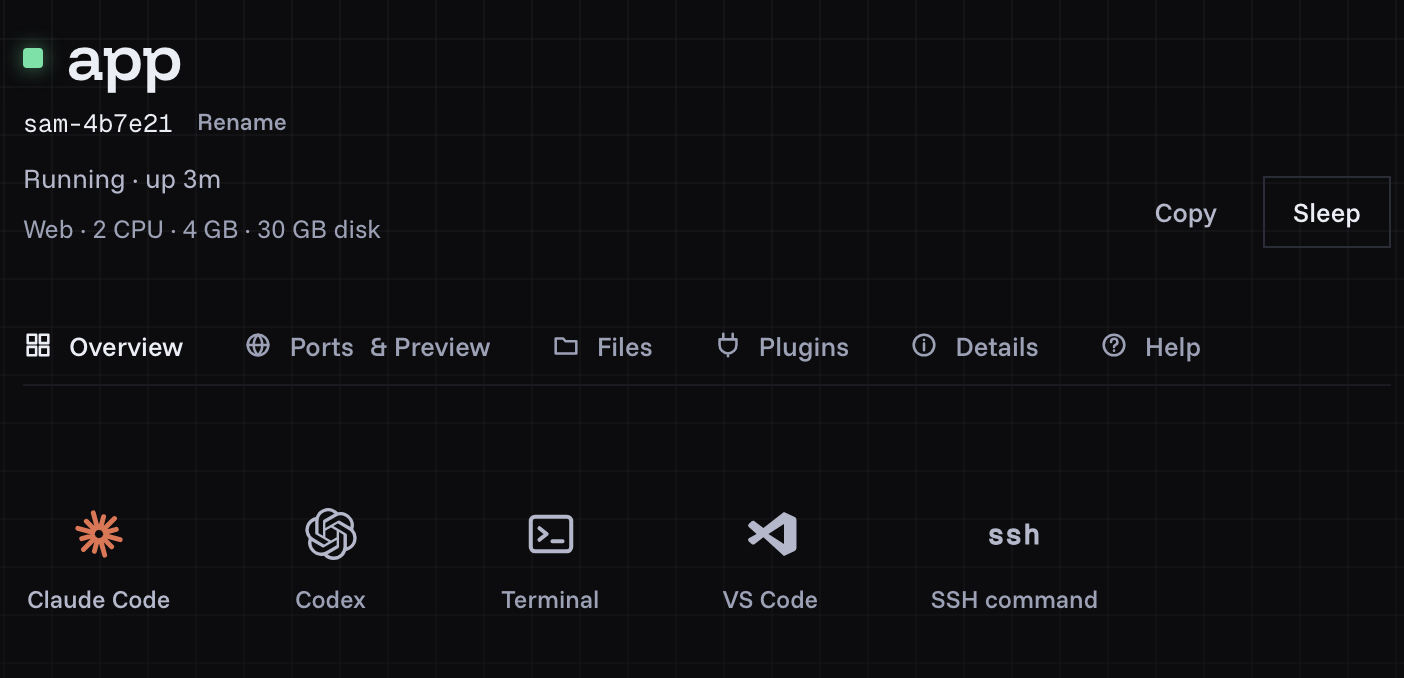
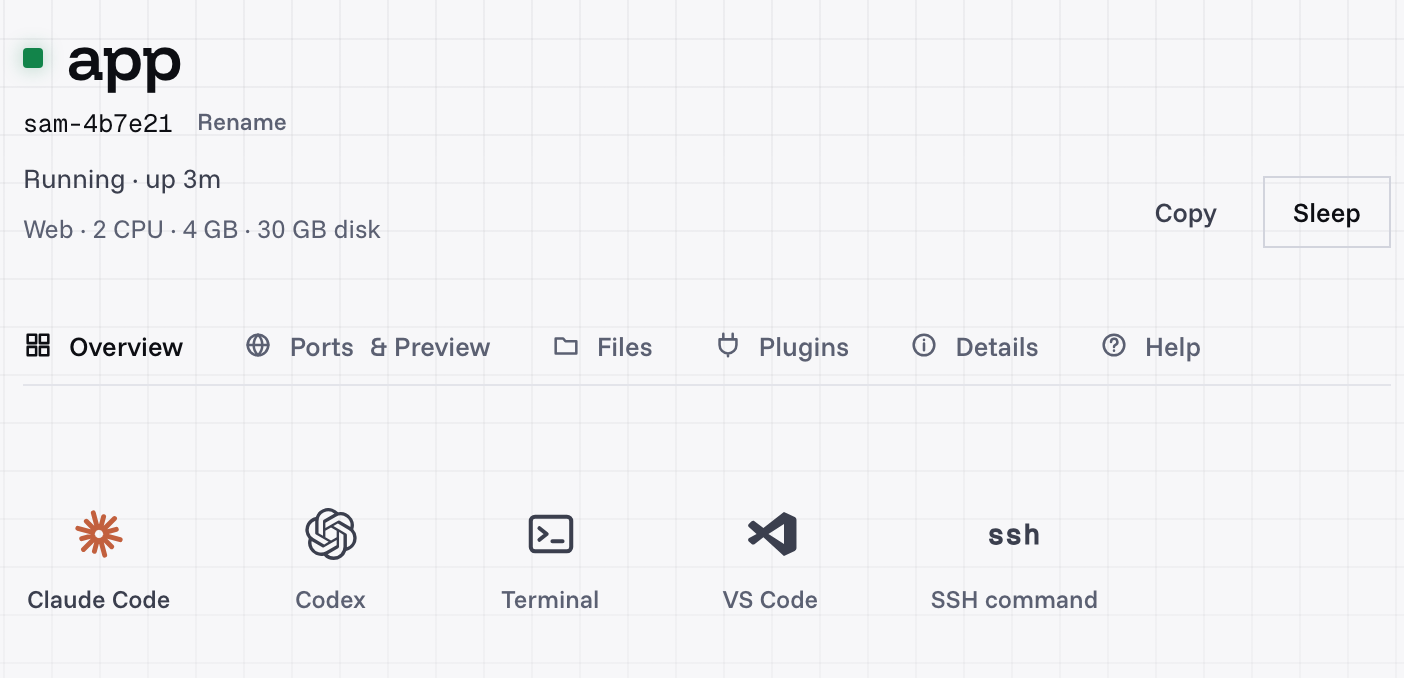
A machine's page: every way in, one tap each.
Sandbox or whole machine for coding agents goes through that choice, and full Ubuntu with root and Docker covers what an agent does with a real machine.
What does Daytona's largest default box cost elsewhere?
Daytona's default maximum is 4 vCPU and 8 GB of memory, so that is the box priced here, for one hour. All of these bill by the second. Rivals' figures are their published rates multiplied out, as of 2026-11-11, ordered by price:
| 4 vCPU and 8 GB | One hour | Disk | What you pay while it's stopped or asleep |
|---|---|---|---|
| shedix | $0.21/hr | 45 GB included | $0.009/hr, running programs kept |
| Sprites, at full use | $0.33 | 100 GB volume, billed on use | Storage |
| Daytona | $0.33 | 5 GiB free, 10 GB at most by default | Disk past 5 GiB |
| E2B | $0.33 | 10 GiB on Hobby, 20 GiB on Pro | Nothing listed for a paused sandbox |
| Modal | $0.48 | Snapshots and volumes | Snapshot and volume storage |
| Vercel Sandbox, at full CPU | $0.68 | 64 GB for each session | Snapshot storage, $0.08 per GB-month |
A shedix machine costs 36% less than the same box on Daytona, with 45 GB of disk included against Daytona's 10 GB default maximum, and 56% less than on Modal. Sprites bill the CPU and memory actually used ($0.0385 per CPU-hour and $0.021875 per GB-hour) and Vercel Sandbox bills CPU only while it's busy ($0.128 per active CPU-hour and $0.0212 per GB-hour of memory on Pro), so their figures are a ceiling. The shedix price also covers Ubuntu with root and Docker, a desktop, Claude Code, Codex, VS Code in the browser, previews and SSH. shedix machines run in the United States.
Which one should you pick?
- E2B if you want open-source sandboxes you can host yourself, or pauses that keep memory.
- Modal if you already run Python or GPU jobs there.
- Sprites if the box mostly waits and you want CPU billed only as it's used.
- Vercel Sandbox if your app already lives on Vercel.
- shedix if the box is for your own coding agent to live on for days, with a desktop, room to grow, and your repository, tools and sign-ins still there each time you come back.
Prices and limits change, so check each provider's own pricing before you choose. About and security say who runs shedix and how its machines are kept apart.
What to do next
Start a shedix machine and open it in your browser, or install the shedix skill and ask your agent to start one. Your first 12 hours of compute are on us.