GitHub Codespaces alternatives for AI coding agents
The main alternatives to GitHub Codespaces for AI coding agents are self-hosted workspaces (Coder, DevPod), hosted agent environments (Ona), sandboxes started from code (Daytona, Sprites), and whole cloud machines built for agents, such as shedix. Which fits depends on why Codespaces got in the way: the 12-hour limit, an idle timeout made for people, the price per core-hour, or the dev container setup.
We make shedix. Every other figure comes from each provider's own pages, linked, as of 2026-11-11.
Why do coding agents strain Codespaces?
Codespaces was built for a person at an editor, and it does that well. An agent working on its own runs into four things:
- A 12-hour ceiling. GitHub's lifecycle docs say "a codespace has a maximum lifetime of 12 hours, regardless of your idle timeout policy or settings." Stopping it stops every running process.
- An idle timeout made for people. The default is 30 minutes, adjustable from 5 to 240. GitHub's timeout docs count typing, the mouse and terminal input or output as activity. An agent working in a background process with no terminal open may not count.
- Paying by the core-hour. Compute is $0.09 per core-hour: $0.18 an hour for 2 cores and 8 GB, $0.36 for 4 cores and 16 GB, plus $0.07 per GB-month of storage (billing docs).
- Setup per repository. A codespace is configured by the repository's
devcontainer.json. That's good for identical team environments, and extra work if you just want a machine with your agent ready. Codespaces also need the code on GitHub, and stopped codespaces are deleted after 30 days of inactivity by default.
If none of that bothers you, Codespaces is a fine place to stay. Free personal accounts get 120 core-hours and 15 GB-months of storage a month.
What does your codespace cost elsewhere?
Codespaces gives every core 4 GB of memory, from 2 cores with 8 GB up to 32 cores with 128 GB (machine types). Find the codespace you run today in the first column. The next columns are that machine for one hour on Codespaces, the same cores and memory on shedix, and shedix's standard machine with the same cores, which carries 2 GB per vCPU.
| Your codespace | On Codespaces | Same cores and memory on shedix | Same cores, shedix standard machine |
|---|---|---|---|
| 2 cores, 8 GB | $0.18/hr | $0.126/hr | $0.09/hr (2 vCPU, 4 GB RAM, 30 GB disk) |
| 4 cores, 16 GB | $0.36/hr | $0.252/hr | $0.21/hr (4 vCPU, 8 GB RAM, 45 GB disk) |
| 8 cores, 32 GB | $0.72/hr | $0.504/hr | $0.42/hr (8 vCPU, 16 GB RAM, 60 GB disk) |
| 16 cores, 64 GB | $1.44/hr | $1.008/hr | $0.84/hr (16 vCPU, 32 GB RAM, 75 GB disk) |
Codespaces charges storage on top, $0.07 per GB-month, so 32 GB is $2.24 a month. shedix includes the disk: 30 GB on a custom machine, and the size shown on a standard one. A custom shedix machine is priced at $0.042 per vCPU-hour plus $0.00525 per GB of memory per hour.
The same machine costs 30% less on shedix than on Codespaces. If your agent doesn't need 4 GB per core, the standard machine with the same cores costs 42–50% less than the codespace.
The other two with published rates, priced for the same machines:
| The same machine for one hour | 2 cores, 8 GB | 4 cores, 16 GB | 8 cores, 32 GB | 16 cores, 64 GB |
|---|---|---|---|---|
| Daytona | $0.23 | Above its default limit | Above its default limit | Above its default limit |
| Sprites, at full use | $0.25 | $0.50 | $1.01 | Size not published |
Daytona charges $0.0504 per vCPU-hour and $0.0162 per GiB-hour, with the first 5 GiB of disk free; its default limit for a sandbox is 4 vCPU, 8 GB and 10 GB of disk. Sprites charge $0.0385 per CPU-hour and $0.021875 per GB-hour for the CPU and memory actually used, so the row is the price at full use, and storage is extra. Coder and DevPod cost what your own infrastructure charges, and Ona's prices come from its sales team, so they aren't in the tables.
How do the alternatives compare for an agent's home?
As of 2026-11-11:
| Option | Built for | Setup to a working agent machine | Root and Docker | What persists | Sleeps by itself, keeping programs | What you pay while idle |
|---|---|---|---|---|---|---|
| GitHub Codespaces | Interactive work on GitHub repos | A devcontainer.json per repository |
A dev container on a VM | Files; processes end | 30 idle minutes by default; 12 hours at most | Storage |
| Coder | Platform teams running workspaces in their own cloud | Install Coder; admins write templates | Whatever the template defines | Whatever the template keeps | Template autostop | What your cloud charges for stopped resources |
| Ona (formerly Gitpod) | Teams that want agent-first environments managed for them | A plan through sales | Managed environments | Files | 30 minutes by default; up to never | Per Ona's plan, from sales |
| Daytona | Sandboxes started from an SDK | Code against its SDK | Sandboxes | Files until archived | 15 idle minutes by default, even with processes running | Storage |
| DevPod | Keeping devcontainer.json without GitHub's hosting |
A devcontainer.json and a provider |
Depends on the provider | Depends on the provider | Provider's inactivity timeout | What the provider charges |
| Sprites (Fly.io) | Bursty work that mostly waits, billed on use | Create one from its CLI or API | A persistent microVM | Files | Seconds after activity ends | Storage |
| shedix | A real computer for coding agents, with a full desktop | One click, or one line to your agent | A whole VM with root (sudo) and Docker installed | The whole disk and running programs | Yes, when nobody uses it; Keep awake holds it up | $0.009/hr for 4 vCPU, 8 GB RAM, 45 GB disk, with everything kept |
What is Coder built for?
Coder is software you run on your own infrastructure. Admins write templates, usually Terraform, and people or agents get workspaces from them. The Community edition is free, with unlimited self-hosted workspaces and support for running Claude Code and Codex in them. Premium is priced per user per year on request, and your cloud bills the machines. A workspace stops on the schedule its template sets; Coder's scheduling docs count VS Code, JetBrains, the web terminal, SSH and agent tasks reporting a working status as activity.
What is Ona (formerly Gitpod) built for?
Ona runs development environments with its own agent built in, in Ona's cloud or your VPC. Its billing docs count use in OCUs: a standard environment of 4 vCPU and 16 GB uses one an hour while it runs. Plan prices come from sales. Environments stop after 30 minutes by default, and users can choose 1, 3 or 8 hours, or never, within their organization's limit.
What is Daytona built for?
Daytona is a sandbox for agents you build, created from its SDK, billed by the second with $200 of free credit. Container sandboxes stop after 15 minutes of inactivity by default, "even if there are internal processes running"; set the interval to 0 to keep one running. Stopped container sandboxes are archived after 7 days (sandbox docs).
What is DevPod built for?
DevPod is an open-source client from Loft Labs: it reads the same devcontainer.json as Codespaces and builds the environment on your laptop, a cloud VM or Kubernetes. There's no server to run and nothing to pay DevPod. Official providers stop an unused machine after 5 to 10 minutes, per its inactivity docs.
What are Sprites built for?
Sprites are persistent microVMs from Fly.io, created and driven from the sprite CLI or its API, and billed only for the CPU and memory in use. The filesystem survives sleep. Its pricing page notes that output to a detached tmux session doesn't count as activity, so for an agent left in tmux you hold a task open to keep the Sprite awake.
What is shedix built for?
shedix is a real computer in the cloud for your coding agents: a whole Linux machine with a full desktop, root, Docker and its own public address, with Claude Code, Codex and VS Code installed, so there's no devcontainer.json (real Ubuntu). Your agent can start, drive and copy machines to run many at once, with a browser it shares with you; you get in by SSH, the browser, the desktop or your phone. You pay by the second while it works; it sleeps by itself with its programs kept, and a sleeping machine wakes in under a minute. Machines run in the United States.
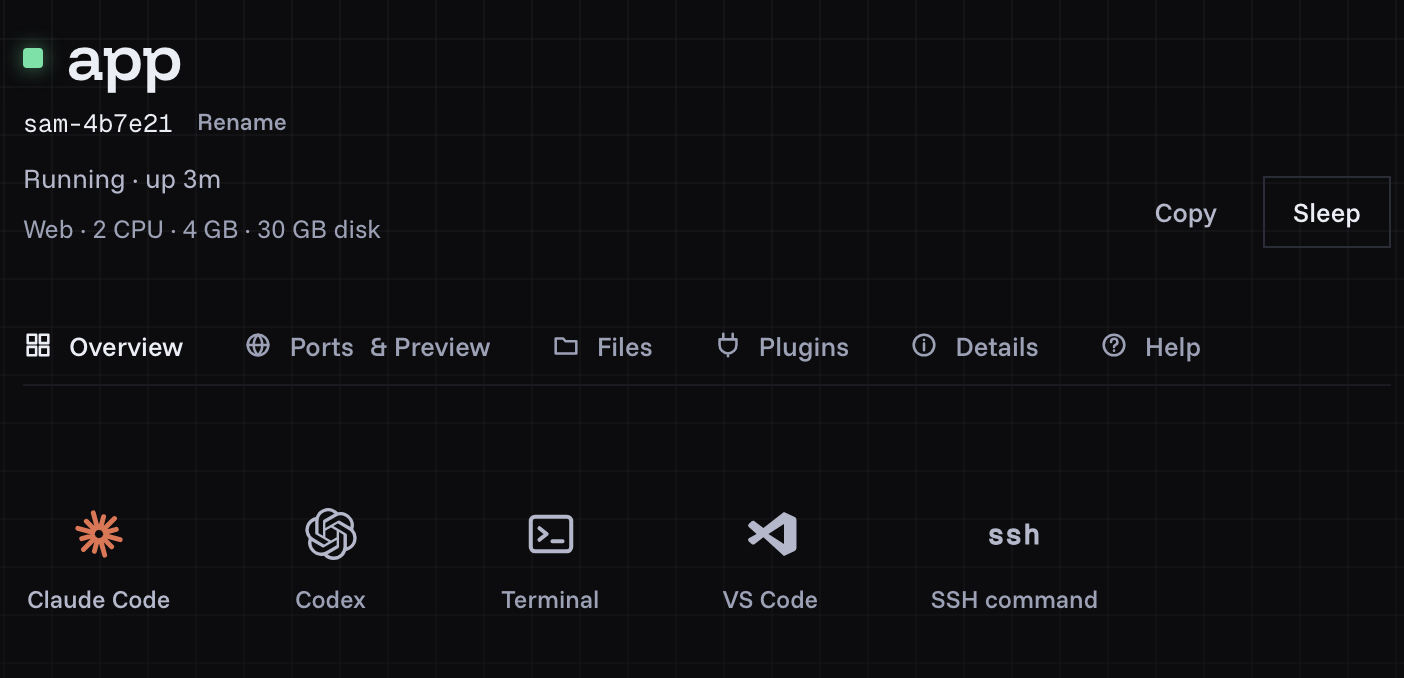
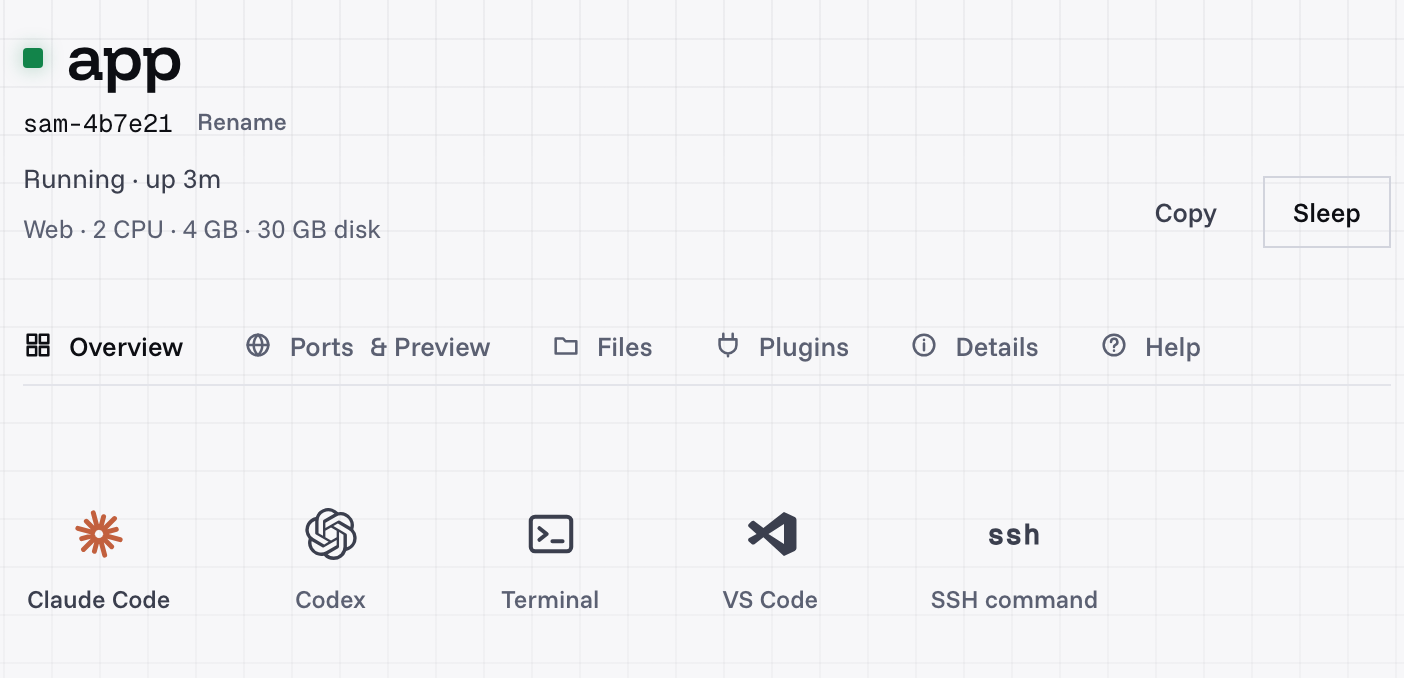
A shedix machine's page: Claude Code, Codex, a terminal, VS Code and SSH, ready when it starts, with no devcontainer.json.
Which should you pick?
- Your team already lives in dev containers and GitHub: stay on Codespaces, or move the same
devcontainer.jsonto DevPod or Coder. - You're building a product that starts sandboxes from code: Daytona or Sprites (sandbox or whole machine covers that choice).
- You want agents inside your own infrastructure: Coder, or Ona in your VPC.
- You want a whole machine per agent, ready with your tools, that sleeps when unused and keeps its state: shedix.
For more prices at one size, see what a coding agent's computer costs, compared, and every shedix size is on the pricing page. Prices change, so check each provider's own pricing before you choose. Who we are is on our about page, and how machines are kept apart is on security.
What to do next
Start a shedix machine, or install the shedix skill so your agent can start one itself. Your first 12 hours of compute are on us.